Load Data From Last 24 Hours, 1 Week, Etc.
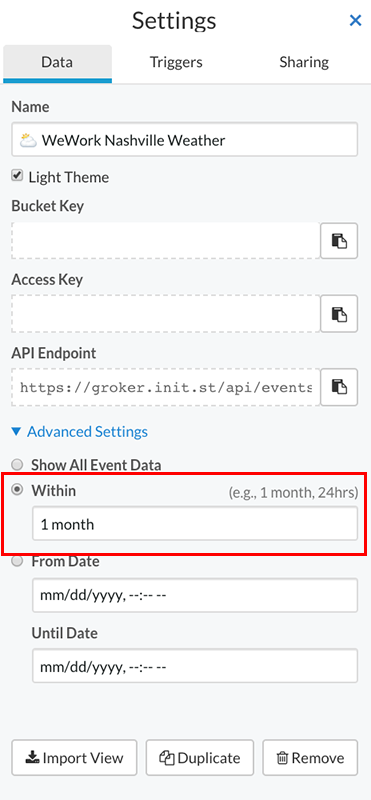
To limit loading data from a specific timespan to the current time:
- Click the "settings" link underneath the bucket name on the bucket shelf.
- Under the "Data" tab, click "Advanced Settings".
- Check the "Within" option.
- Type in the desired timespan to set as the start timespan in the "Within" field. (e.g. 1 month, 24 hrs, 1 day)
- Click "Done" to close the bucket settings.
- Refresh the browser to view your changes.
Note:
- Typing in a relative timespan will limit the data load from the current time of load back the amount of time specified (e.g. 24 hours, 1 day, 3 weeks, 2 months). Incoming data will append to the loaded dataset.
- If you set a relative timespan (e.g. 24 hours) and no data exists from the current time back to the specified timespan, your data view will be empty.
- A browser refresh is required since your current dataset is already loaded, and this is changing how data will load in the future.
- Any privately shared bucket, publicly shared bucket, or iframe embed will load data based on this setting.