Compute Velocity & Acceleration from Motor Encoders
Overview
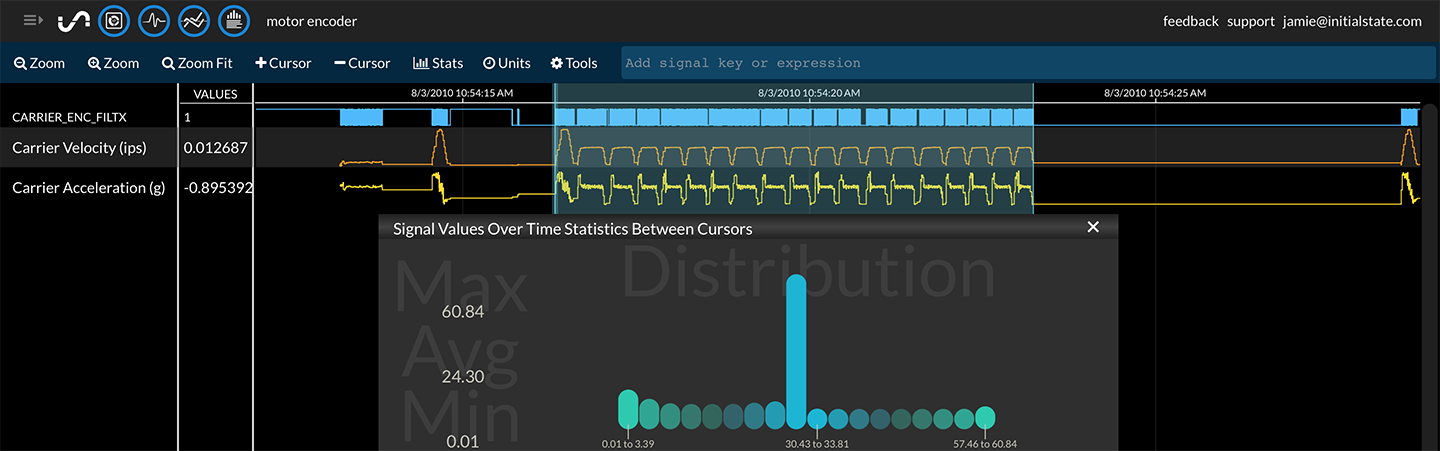
Convert a binary motor encoder signal to velocity and acceleration using the derivate functionality in real-time expressions (change in value / change in time).
Syntax
Time Derivative (change in value / change in time)
=math.timeDerivative(signal, "time unit")
Alternative syntax
=math.delta(signal) / math.timeDelta(signal, "time unit")
Example

A single motor encoder signal changes from 0 to 1 every 1/150".
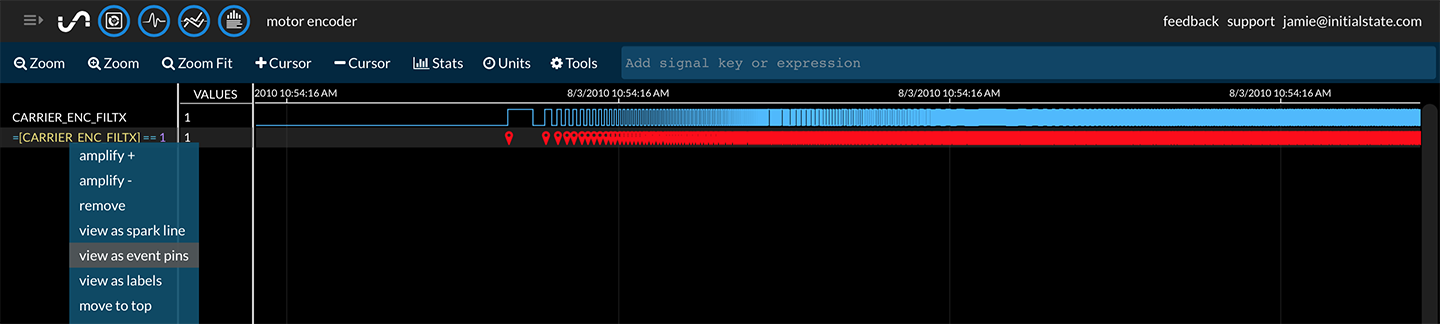
Filter the encoder signal to just its rising edges. First, highlight the signal being transformed and use the real-time expression:
=$ == 1
Note: The $ shortcut operates on the highlighted signal in lieu of having to type out the entire signal name
Select "view as event pins" under the right-click context menu to verify only rising edges of the signal are shown in the transformed signal.

Calculate the change in time between rising edges using the following expression (highlight the previously generated signal):
=math.timeDelta($, "sec")
This will generate a new signal that contains the difference in time between each signal value in seconds.

Every rising edge, the position changes 1/150". Complete the velocity calculation (change in position / change in time) by highlighting the previously generated signal and using the expression:
=1/150/$
This will generate a new signal that is the velocity of the motor in inches per second (ips). This could be optionally converted to mph using the convert method:
=convert($, "ips", "mph")

Compute acceleration in units of g from velocity (change in velocity / change in time). Highlight the velocity signal (ips), and use the expression:
=math.timeDerivative($, "sec") / 386.088582677165
This will generate a new signal that is the acceleration of the motor in g.
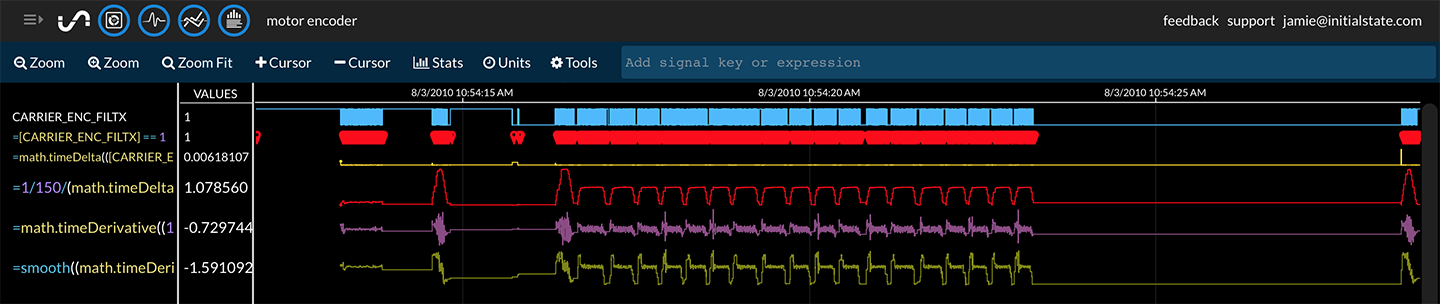
You can smooth out the noisy acceleration signal using the smooth function. For example:
=smooth($, 0.9)

Clean up the intermediate calculated signals by highlighting unwanted signals and hitting the DEL key. Rename the newly generated signals by using the right-click context menu -> Rename.