Adding a Trigger
Add a Trigger
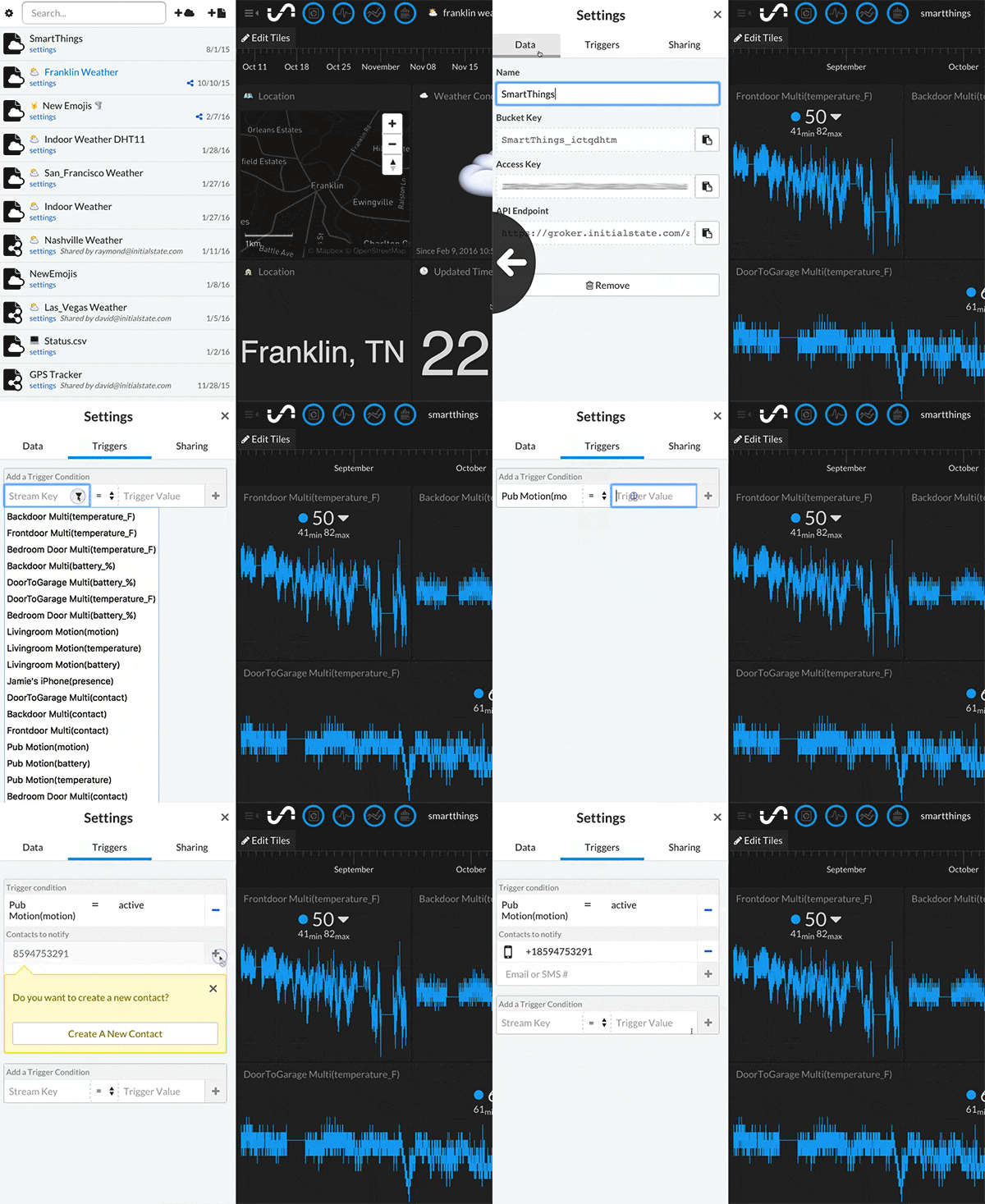
- Load the desired data bucket
-
Click on the bucket's settings in the data shelf (under its name) -
Click on the Triggers tab -
Select the data stream to trigger on (you can use the drop-down list to select from existing streams once a data bucket has loaded or you can type in the stream name/key manually; *note Safari does not support HTML5 dropdown lists) -
Select the conditional operator (=, <, >, <=, >=) -
Select the Trigger value that will trigger an action (manually type in the desired value) -
Click the '+' button to add the Trigger condition -
Select the action (current actions available are notify by SMS or email) -
Click the '+' button to add the action -
Input any verification code if adding a new phone number or email to complete setup
Your trigger is now live and will fire when the condition is met. Click done to return to the main screen.