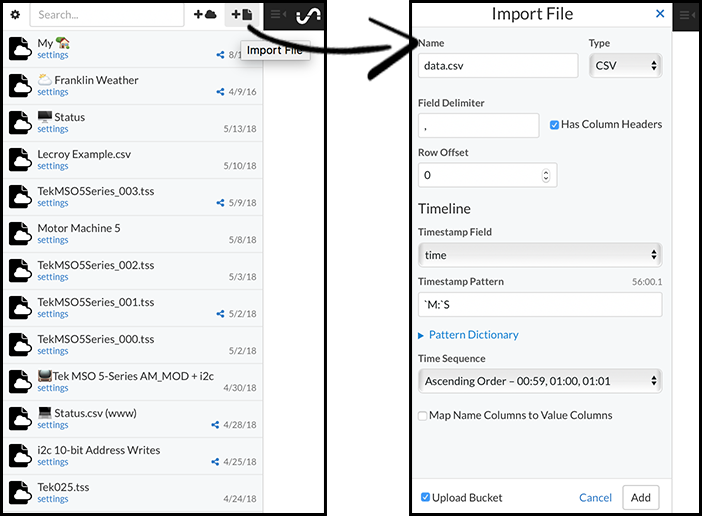
Creating a Data Bucket
Real-Time Streaming
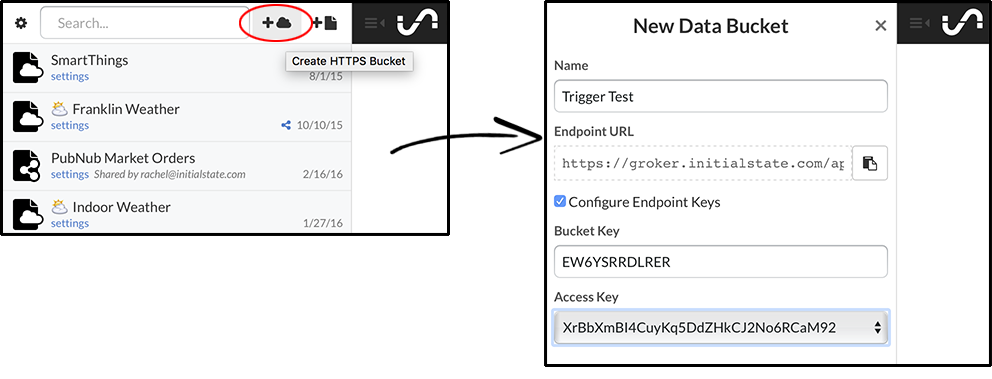
At the top of your bucket shelf, click the +cloud icon to create a new streaming bucket.
Name the new bucket (e.g. Trigger Test). You can optionally configure the bucket_key and access_key used by clicking on the "Configure Endpoint Keys" checkbox.
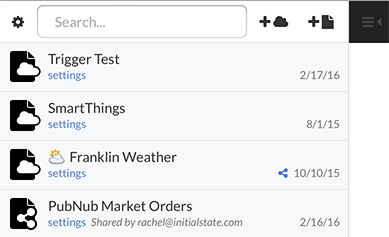 |
Click the "Create" button at the bottom and the new bucket should be listed at the top of your shelf. Sending data to a streaming bucket requires that bucket's bucket_key and the private access_key associated with your account and that streaming bucket. |
*Note: You can also create a new data bucket directly via the Events API. See the Events API documentation at https://initialstateeventsapi.docs.apiary.io/#reference/event-buckets/buckets-json.
*Another Note: SDKs such as the Python Streamer and the NodeJS Streamer contain methods that can easily create data buckets in a single line of code.