Keyboard Shortcuts
| Key | Function |
|---|---|
|
↑, ↓, ←, → |
Directional scroll |
|
+ |
Amplify selected signal |
|
- |
Condense selected signal |
|
A |
Add cursor |
|
D |
Delete cursor |
|
C |
Move cursors into view |
|
H |
Show/hide cursors |
|
Z + left click |
Drag zoom |
|
F |
Zoom fit |
|
I |
Zoom in |
|
O |
Zoom out |
|
L |
Return to previous zoom |
|
V |
Toggle signal between analog and digital view |
|
S |
Toggle search between bit and flag view |
|
Del |
Delete signal |
|
Ctrl |
Hold while scrolling the mouse wheel to zoom in/out |
|
Ctrl / Cmd |
Hold while clicking on a signal to snap to its closest value |
|
Shift |
Hold to display the signal value under the mouse |
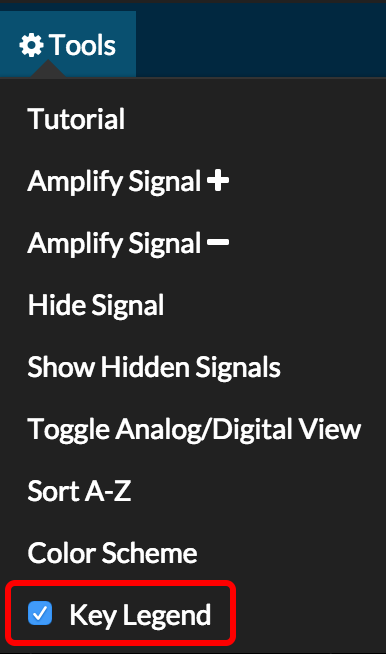
This list can also be found inside of the Waves app by going to Tools...

...and selecting Key Legend: