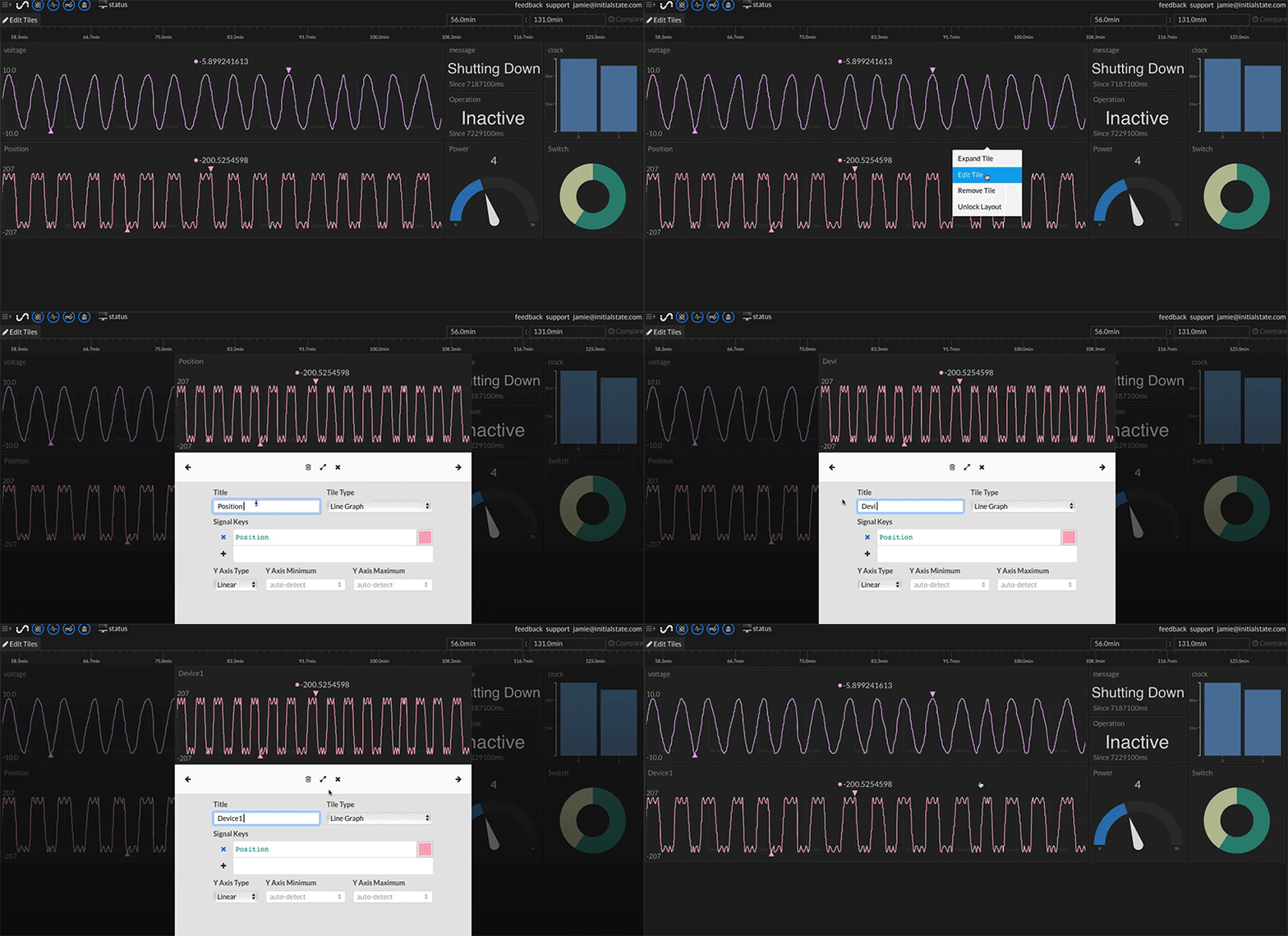
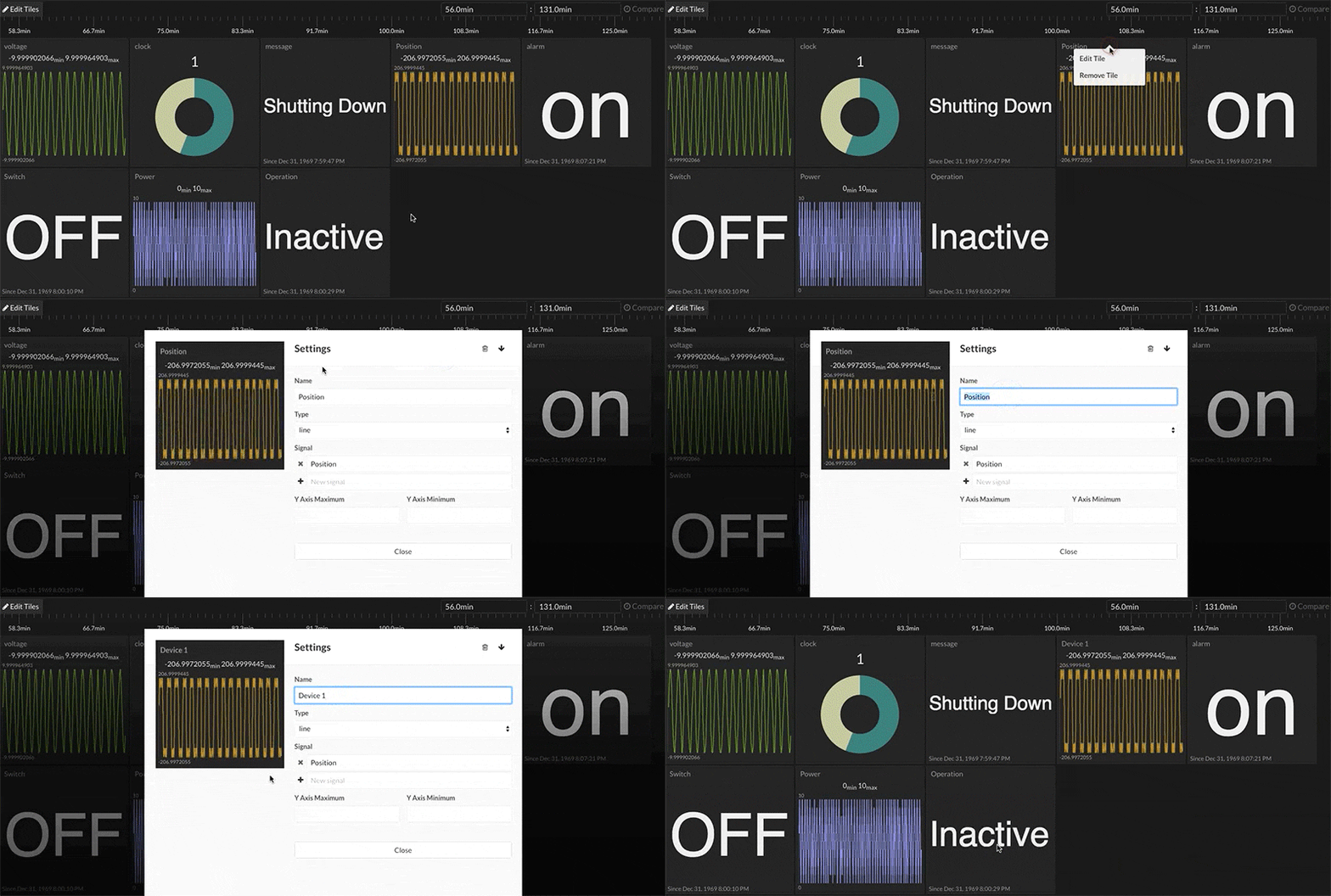
You can rename a tile by right-clicking on the tile (or long-press if you are using a touchscreen device) and clicking on Edit Tile in the drop-down menu. Type in the desired name in the Title field of the tile configuration settings. Your changes will be saved automatically.