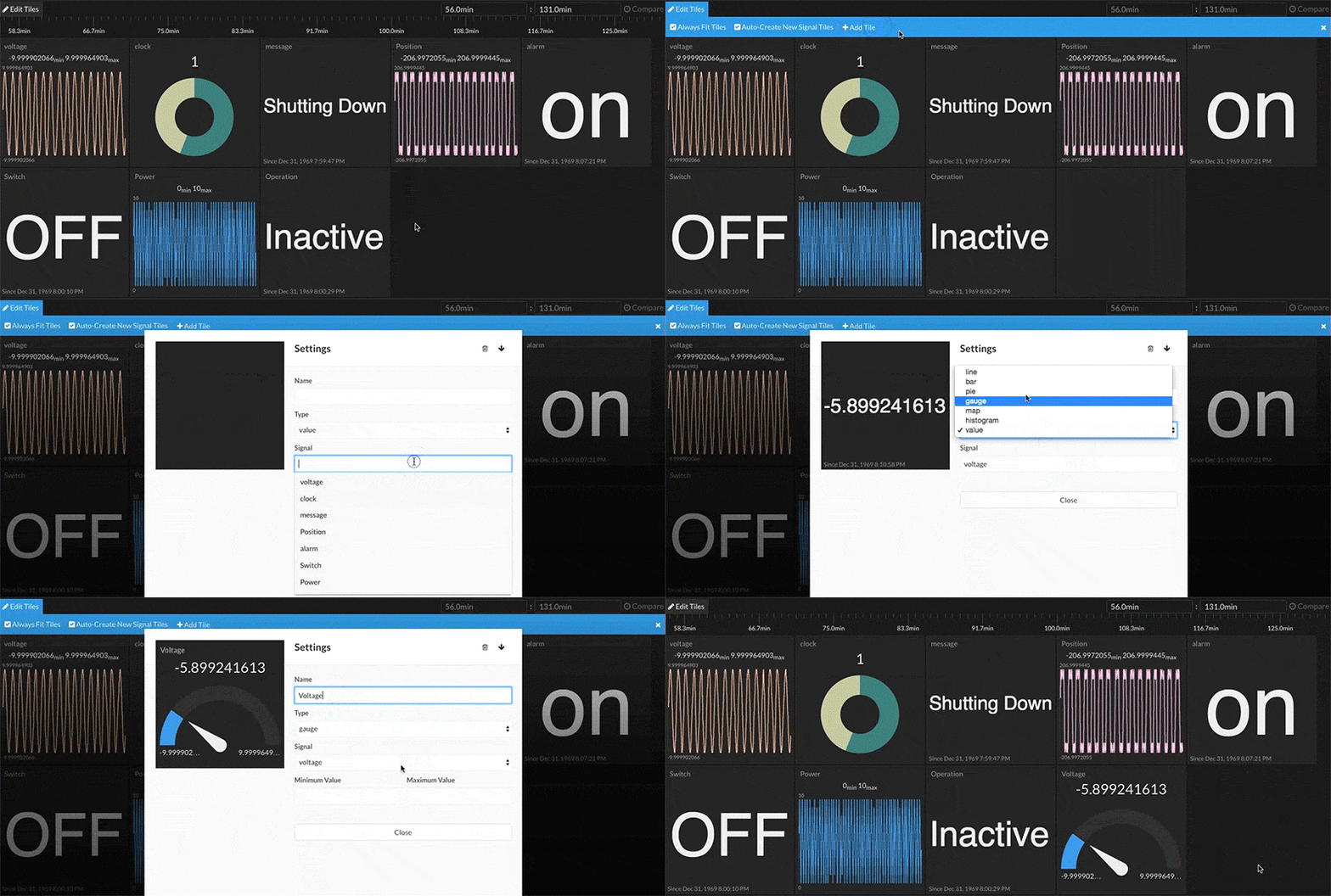
Add a Tile
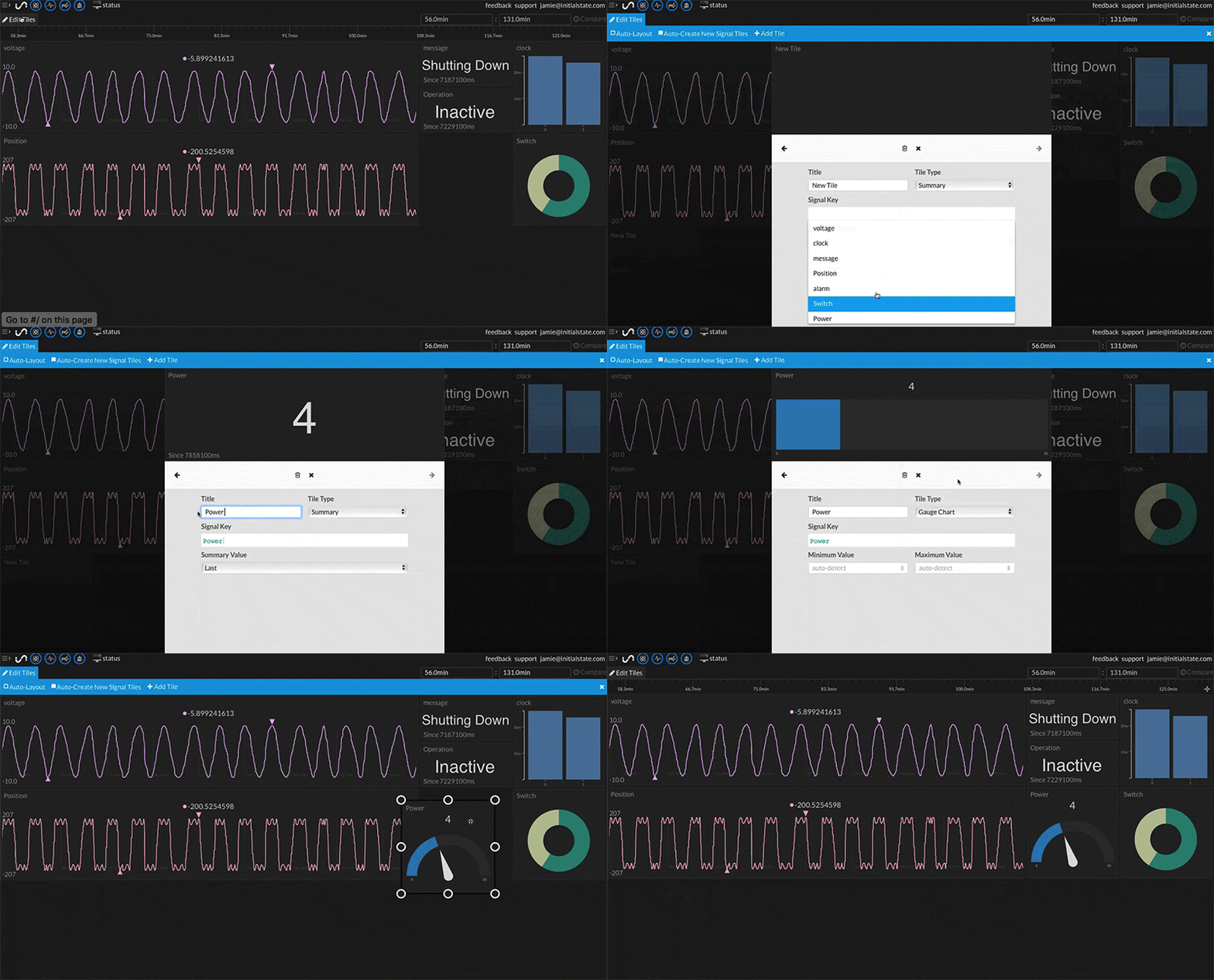
You can add a tile from an existing data stream in your bucket by doing the following:
- Click on the Edit Tiles link in the top left corner of Tiles and choosing +Add Tile from the blue menu.
- The tile configuration window will appear to configure the new tile.
- Select the signal (data stream) that will drive the tile. Clicking on the Signal Key field will show a drop-down list of available signals.
- Select the data view type from the Tile Type drop-down menu.
- (Optional) Type in the tile name.
- Close the tile configuration window to finish.
Your new tile will be automatically saved.